Skip to content

Your whole academic life, in one place.That place is your computer.

Academic OS keeps college and scholarship applications, courses and grades, essays, and every deadline between them on one board. No account. No cloud. Your data is a folder on your machine, and the assistant runs there too.

v0.5.1 · Free during early access · Mac, Windows, Linux · Source on GitHub

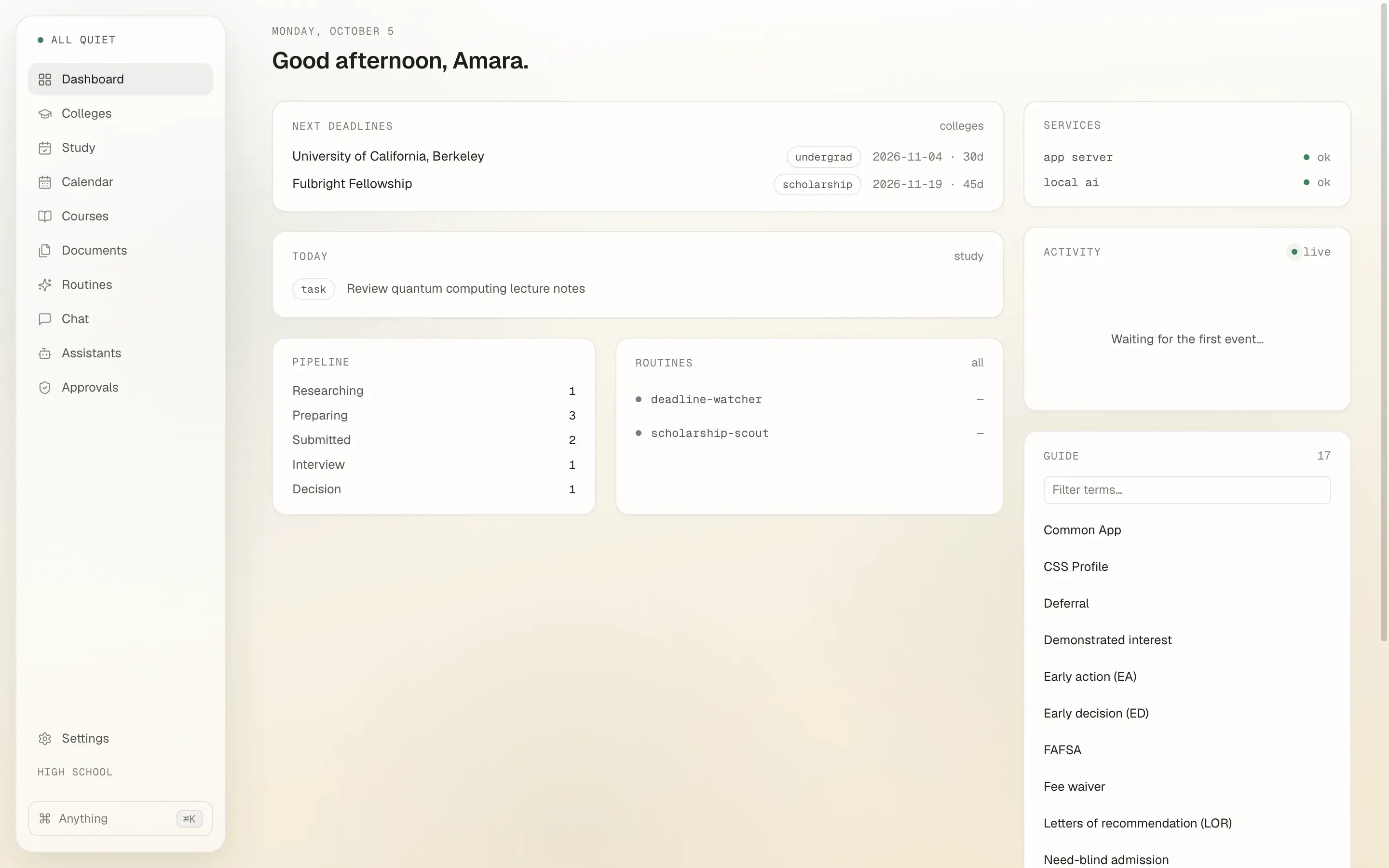
127.0.0.1:7878
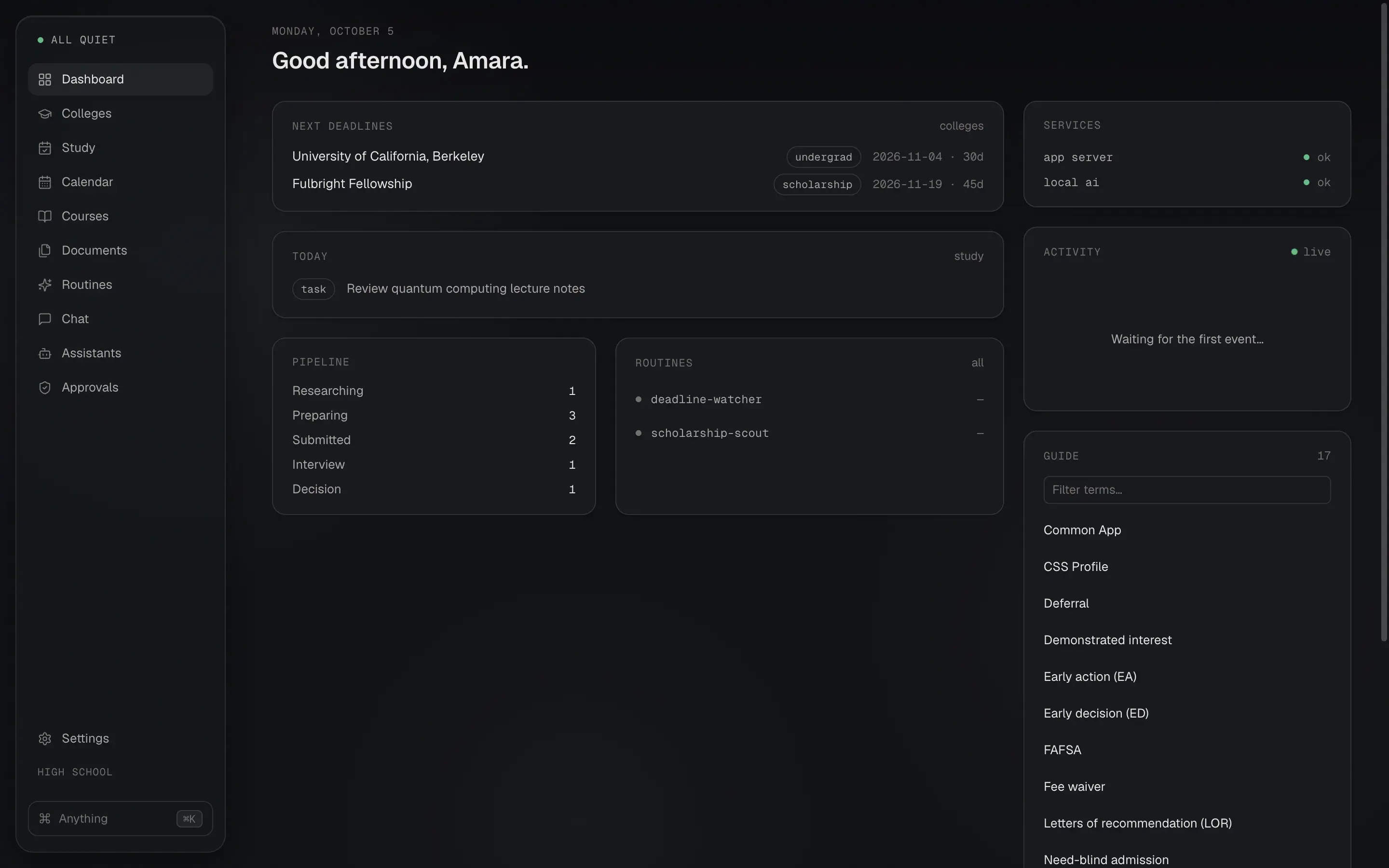
The Academic OS dashboard: next deadlines for UC Berkeley and the Fulbright Fellowship, today's study task, the application pipeline counts, routines, and a glossary of admissions terms.The Academic OS dashboard: next deadlines for UC Berkeley and the Fulbright Fellowship, today's study task, the application pipeline counts, routines, and a glossary of admissions terms.

Built for the stage you are in.

Pick your stage once. The board renames itself, the sidebar reorders, and the checklists change. Five stages, none of them second-class.

Applying to colleges and scholarships.

The board is called Colleges. A one-click FAFSA card arrives with the real federal deadline and the FSA ID checklist, and the scholarship scout searches trusted sources against your profile.

Board name
Colleges
Sidebar order
Dashboard, then Colleges, Study, Calendar.
Default checklist
  • Common App essay
  • Transcript request
  • SAT/ACT scores
  • Recommendation letters
  • FAFSA / financial aid
  • Application fee or waiver

Five modules. One agenda. Nothing scattered across a calendar, a notes app, and a spreadsheet.

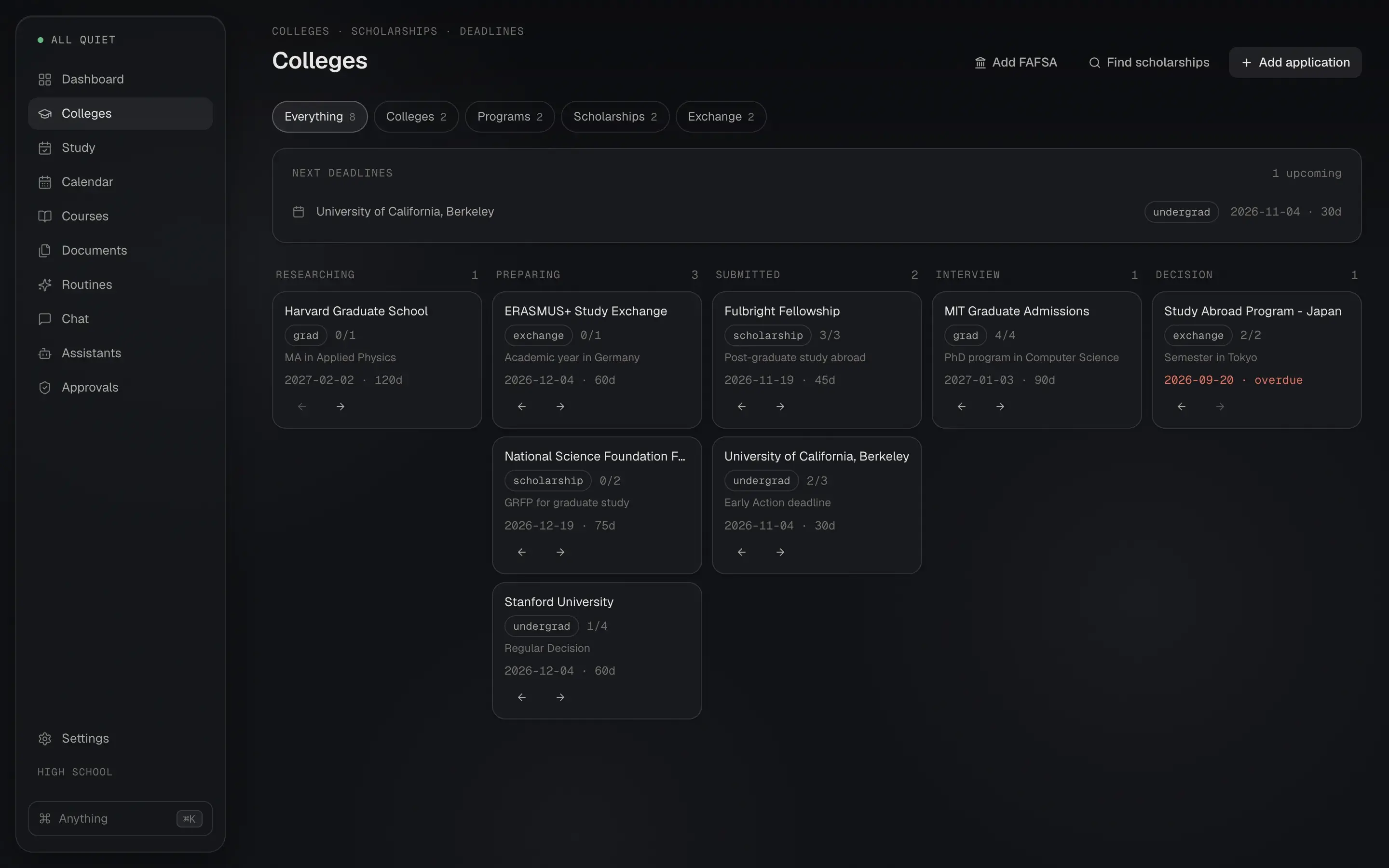
Every application on one board.

Colleges, scholarships, grad programs, and exchange programs move through the same five columns: researching, preparing, submitted, interview, decision.

  • Each card holds a checklist, deadline, fees, award amounts, notes, and linked essays.
  • One click adds a FAFSA card with the real federal deadline and the FSA ID steps.
  • A scholarship scout searches trusted sources against your profile and proposes additions.
127.0.0.1:7878
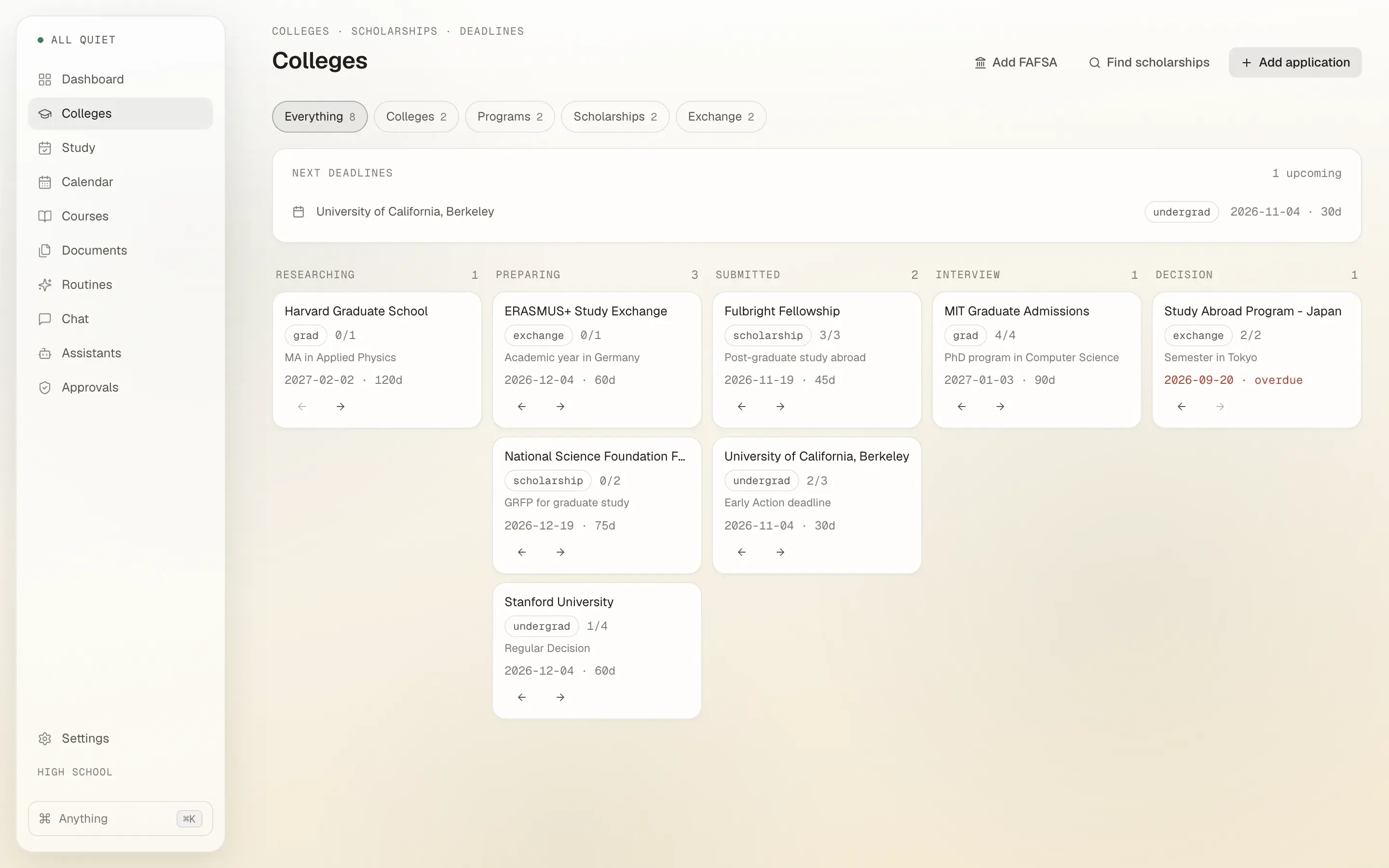
The Colleges board with cards for Harvard Graduate School, ERASMUS+, Fulbright Fellowship, MIT, Stanford, and UC Berkeley across researching, preparing, submitted, interview, and decision columns.The Colleges board with cards for Harvard Graduate School, ERASMUS+, Fulbright Fellowship, MIT, Stanford, and UC Berkeley across researching, preparing, submitted, interview, and decision columns.

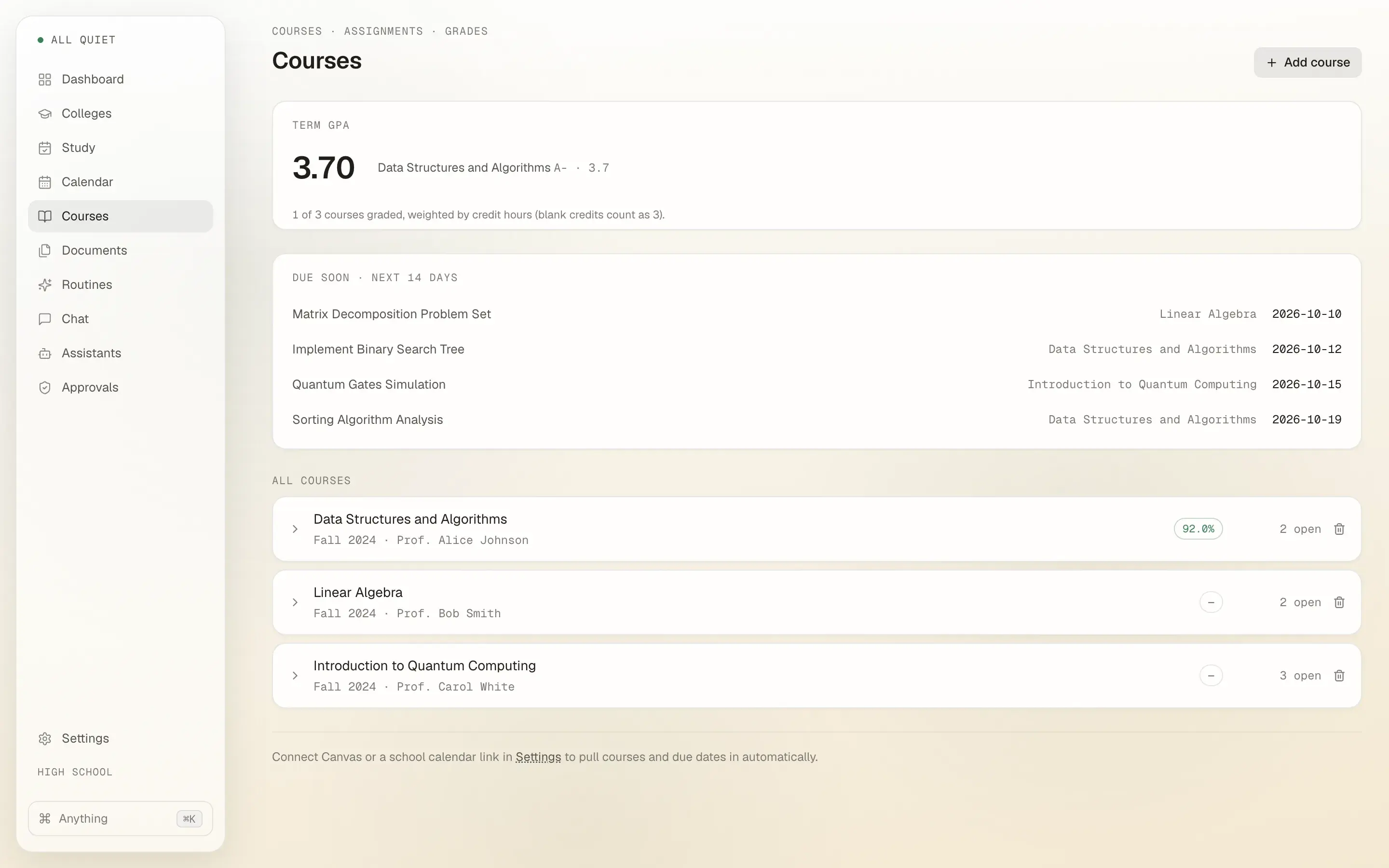
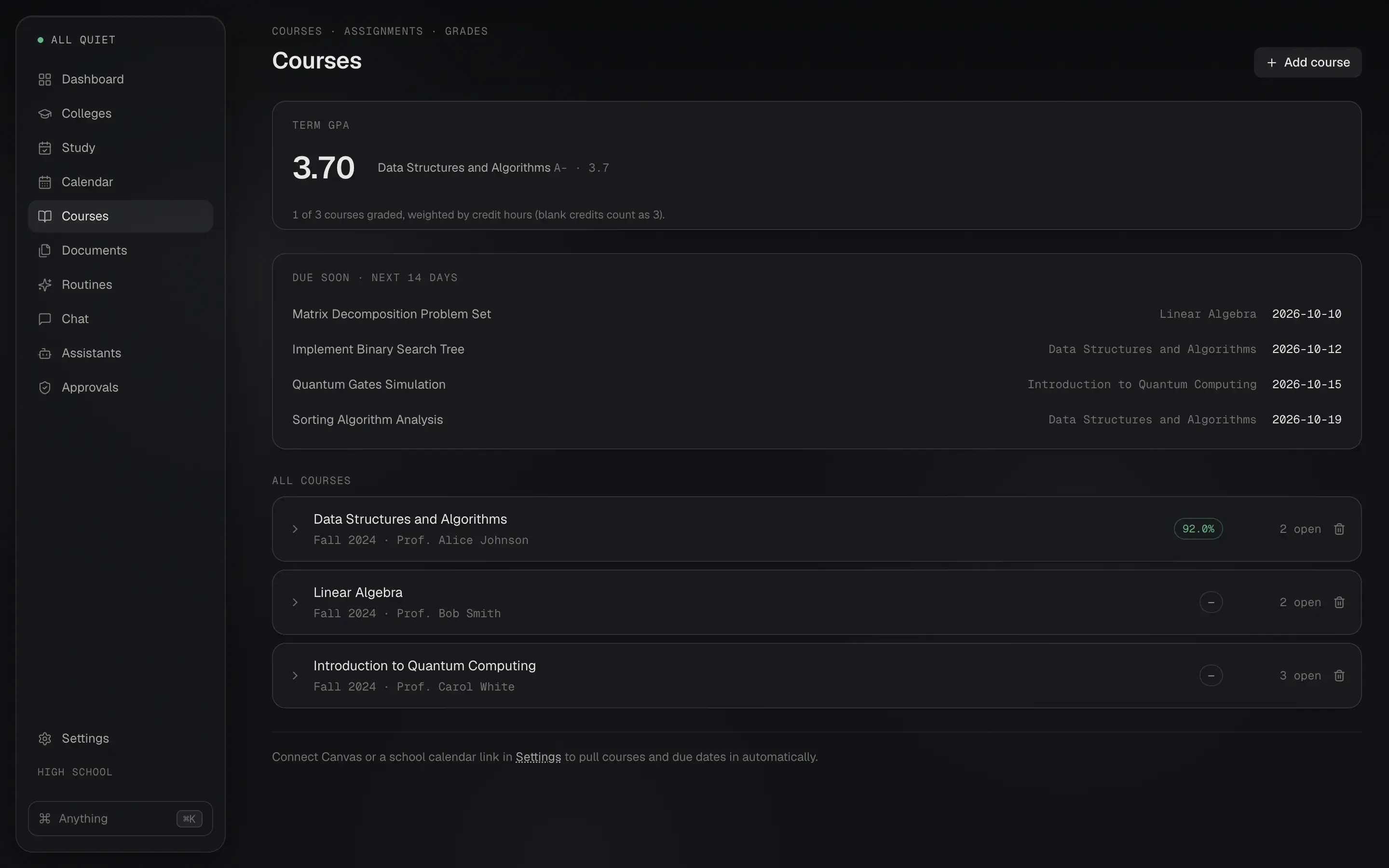
Courses and grades, synced or by hand.

Connect Canvas with a token and your courses, assignments, and grades arrive on their own. Or add them yourself.

  • Term GPA and cumulative GPA, weighted by credit hours.
  • The "what do I need on the final" calculator.
  • Due-soon list for the next 14 days, straight from your assignments.
127.0.0.1:7878
The Courses page showing a 3.70 term GPA, four assignments due in the next 14 days, and three courses with their grades and open assignment counts.The Courses page showing a 3.70 term GPA, four assignments due in the next 14 days, and three courses with their grades and open assignment counts.

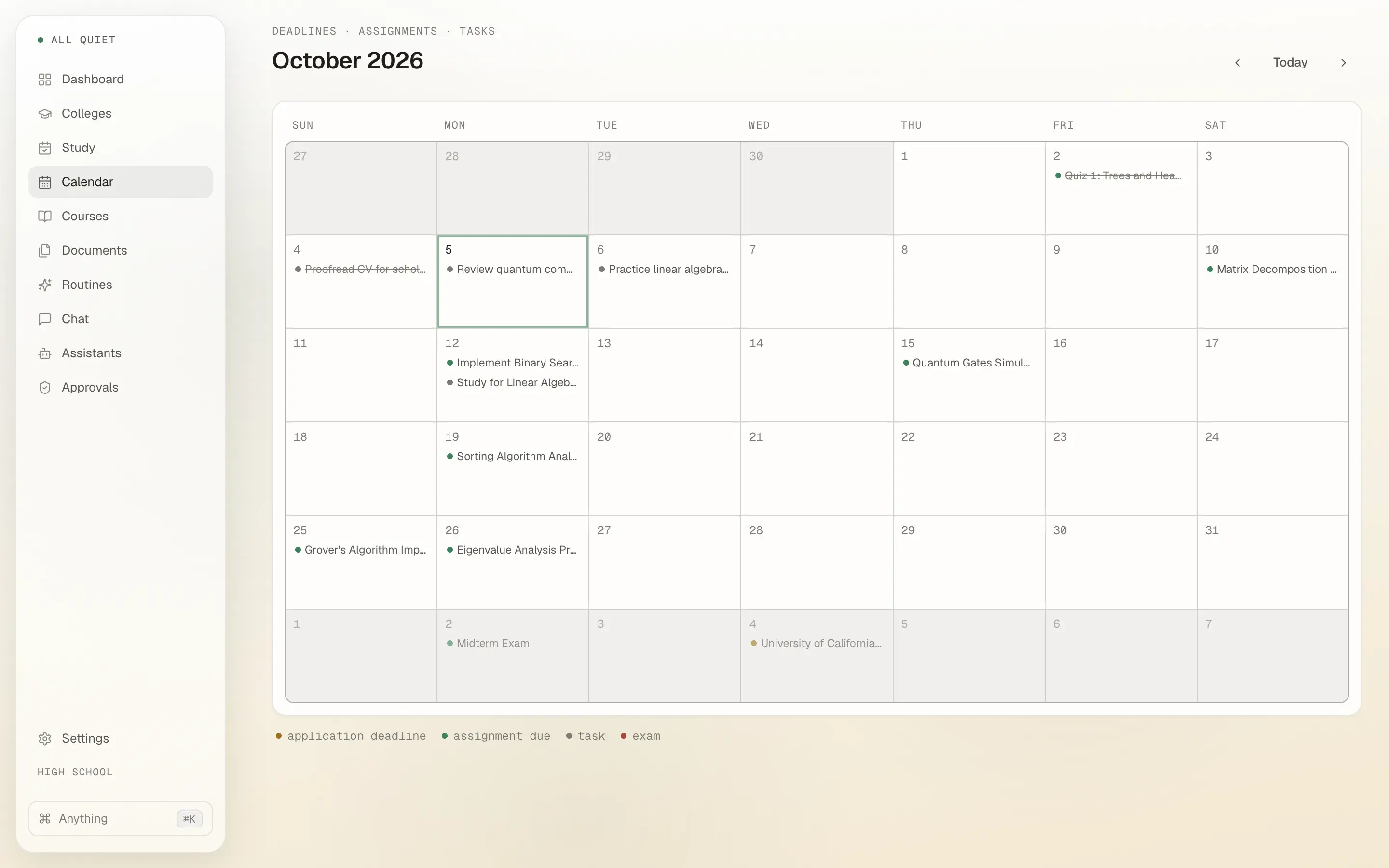
Deadlines, everywhere you look.

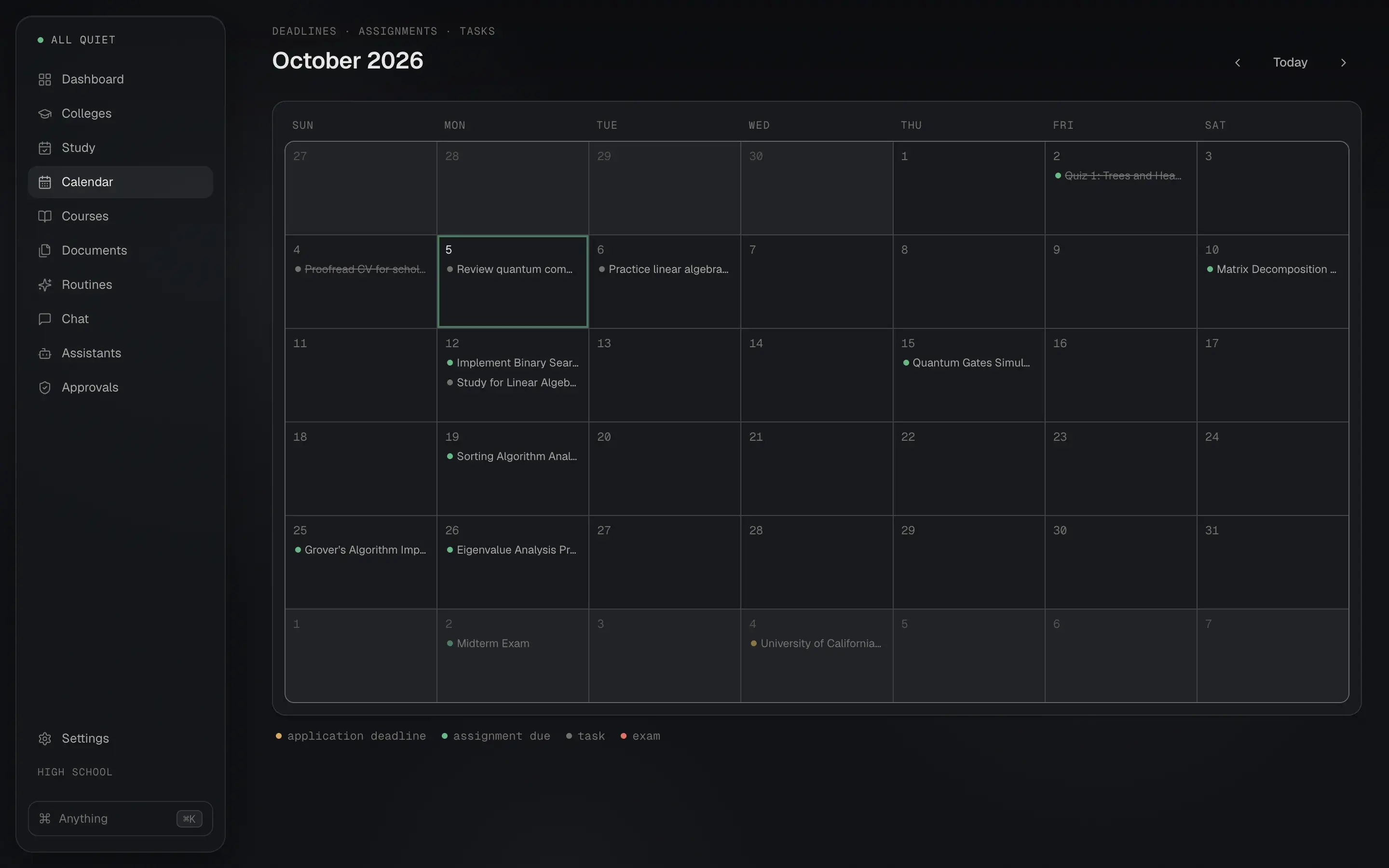
Application deadlines, assignment due dates, study tasks, and exam dates share one calendar, a next-seven-days agenda, and, on Mac, a daily reminder notification.

  • Click any entry to land on the page that owns it.
  • The dashboard answers "what do I do today" before you ask.
  • On Mac, reminders fire from your machine as a native notification, so nothing needs to be running in the cloud.
127.0.0.1:7878
The month calendar for October 2026 with assignment due dates, study tasks, a midterm, and the UC Berkeley application deadline on November 4.The month calendar for October 2026 with assignment due dates, study tasks, a midterm, and the UC Berkeley application deadline on November 4.

Essays with a coach, not a ghostwriter.

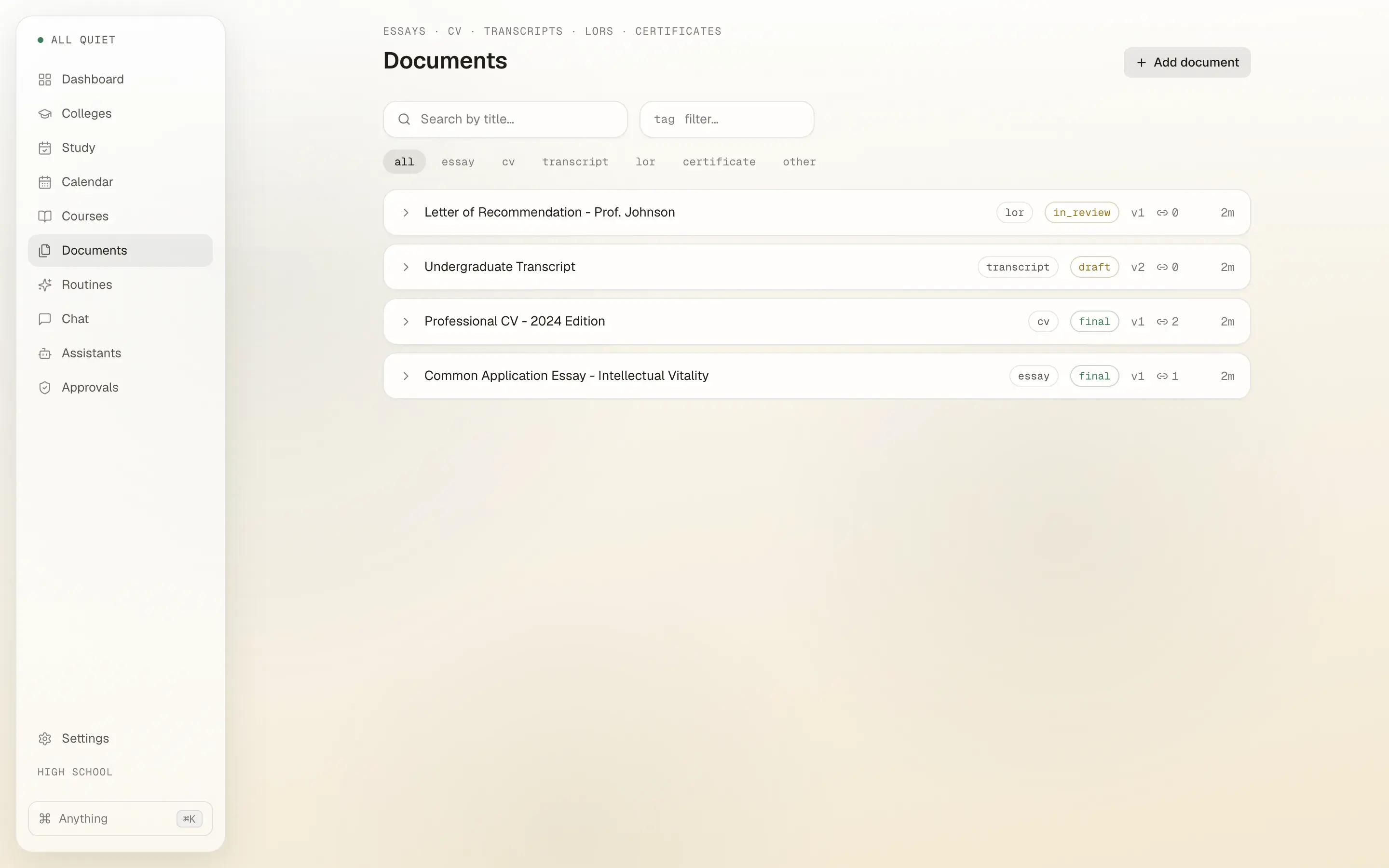
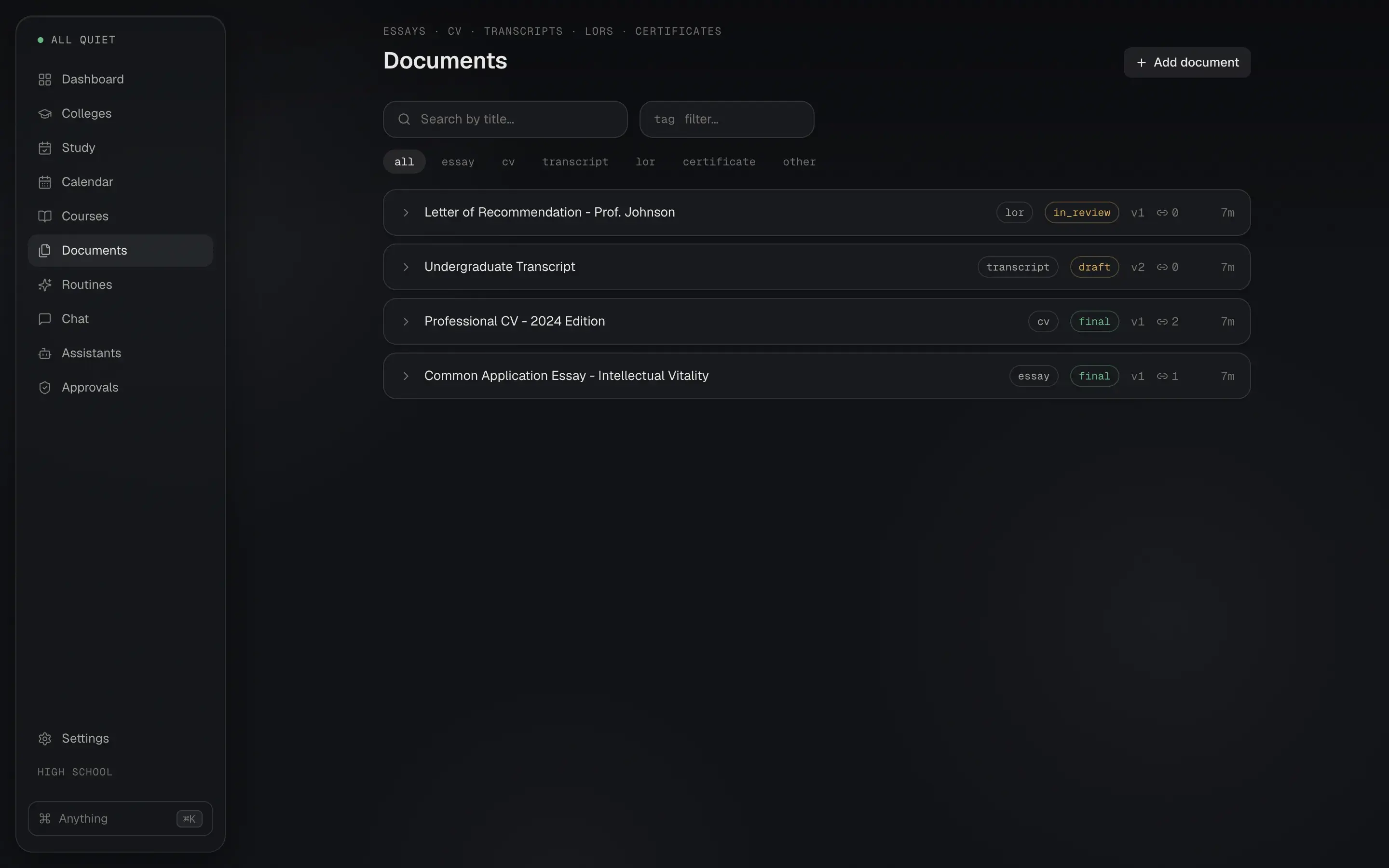
Write drafts in the app, keep version history, and attach transcripts, certificates, and PDFs next to them.

  • Feedback follows the Harvard College Writing Center's guidance: does it answer the prompt, is there an arguable thesis, does the conclusion say what it now means.
  • Essays link to the applications they belong to.
  • Drafts never leave your computer. The coach runs locally.
127.0.0.1:7878
The Documents page listing a letter of recommendation, a transcript, a CV, and a Common Application essay with version numbers and status tags.The Documents page listing a letter of recommendation, a transcript, a CV, and a Common Application essay with version numbers and status tags.

Assistants that ask before they act.

A scholarship scout and a deadline watcher run on a schedule. Reading needs no approval. Anything that would change your data goes through an approval queue first.

  • Approve or deny each proposed change with the reasoning visible.
  • Memory has a privacy view: list what the assistant remembers, delete any of it, or forget everything.
  • No model installed? The pages say so plainly instead of calling a hosted one.

Your data and the AI stay on the machine.

Your applications, essays, grades, and the notes you would never post anywhere stay in one folder you can open in Finder or Explorer. That is the product, not a setting.

No account.
There is nothing to sign up for. Open the app and start.
No cloud.
The downloads have no hosted backend, no sync service, and no opt-in that adds one later. The app runs on your computer, with no server of ours in between. It only goes online for features you turn on, listed in the privacy policy.
Local AI.
Chat, essay feedback, and the assistants use a model you download once, or an Ollama you already run. With no model, those pages say so. They never fall back to a hosted one.
Plain files.
JSONL ledgers, markdown notes, and your attachments. Point the in-app backup at any folder, even a cloud-synced one. Credentials are excluded, and restore takes a safety snapshot first.
Where your data livesls -R
~/.academic-os
├── data/
│   ├── profile.json
│   ├── applications/
│   │   └── items.jsonl
│   ├── courses/
│   │   ├── courses.jsonl
│   │   └── assignments.jsonl
│   ├── study/
│   │   └── tasks.jsonl
│   └── documents/
│       └── items.jsonl
└── agents/
    ├── deadline-watcher.md
    └── scholarship-scout.md

Set a different folder with ACADEMIC_OS_DATA. Upgrading installs over the old version and keeps everything here.

Download v0.5.1.

Free during early access. The builds are not code-signed yet, so Mac and Windows need an extra step on first launch. The steps are written out below, exactly as they happen.

Local AI is a one-time model download from Settings: 2.5 GB recommended, 400 MB for older machines. After that everything works offline. Already running Ollama? The app uses it instead.

All releases and notes
  • Mac

    AcademicOS.dmg

    64 MB

    Download for Mac
    1. 1.Open the DMG and drag Academic OS to Applications.
    2. 2.The app is not signed with an Apple certificate yet. On first launch: double-click, dismiss the warning, then System Settings, Privacy & Security, "Open Anyway".
  • Windows

    AcademicOS-windows.zip

    56 MB

    Download for Windows
    1. 1.Download the zip, extract it, run academic-os.exe.
    2. 2.If SmartScreen objects, click "More info", then "Run anyway".
  • Linux

    AcademicOS-linux.tar.gz

    80 MB

    Download for Linux
    1. 1.Download the tarball, extract it, run academic-os.
    2. 2.Works in Crostini on a Chromebook.

From source

Python 3.14, then Node for the UI.

Repository
python -m venv .venv
.venv/bin/pip install -r requirements.txt
ACADEMIC_OS_DATA=~/.academic-os .venv/bin/uvicorn backend.app:app --port 7878

cd webui && npm install && npm run dev

Questions.

Short answers. The privacy policy and terms have the long ones.

Is it free?

Yes, during early access. There is no account and nothing to pay today. The source code is published on GitHub under the Business Source License, which permits personal, non-commercial, and educational use.

Does it work offline?

Yes, after setup. Local AI needs a one-time model download from Settings: 2.5 GB recommended, 400 MB for older machines. Canvas sync and the scholarship scout need a connection while they run.

Where is my data?

In a folder on your computer, ~/.academic-os by default, as plain files. The in-app backup copies it to any folder you choose, and restore takes a safety snapshot first. Deleting the folder deletes everything.

Why does my computer warn me on first launch?

The builds are not code-signed yet. On a Mac, dismiss the warning, then open System Settings, Privacy & Security, and choose Open Anyway. On Windows, click More info, then Run anyway. The exact steps are in the Download section.

Do I need Canvas?

No. Add courses and assignments by hand, connect Canvas with a personal access token, or paste a school calendar link. Synced records never overwrite the status, grade, or notes you set yourself.

Which stage is it for?

High school, undergrad, gap year, grad school, and beyond. You pick one when the app first opens and can change it later in Settings.

Do reminders work on Windows and Linux?

Native reminder notifications are Mac-only today. The dashboard, calendar, and agenda show the same deadlines on every platform.

Will upgrading lose my data?

No. Install the new version over the old one. Your data folder is left alone.